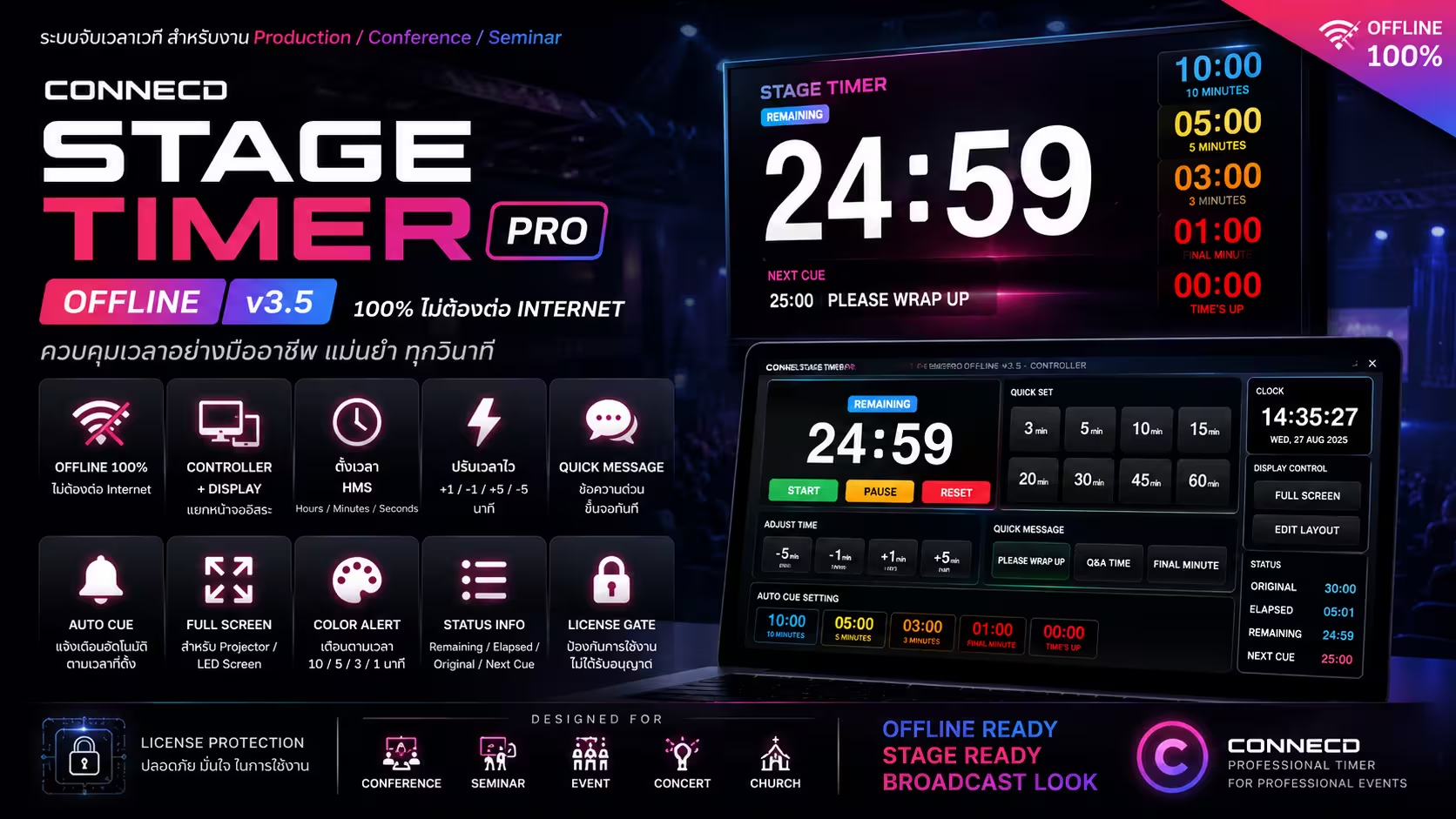
Control room–grade timing for conferences, concerts, and live productions. One app. Zero internet. Total control.
Try free for 7 days with full core features. No purchase needed. No sign-up required.
Version 1.0 · 7-day free trial · 100% offline · No internet required
Designed for production crews who can't afford to pause mid-show.
Set, start, pause, and reset — with keyboard shortcuts for hands-free operation. Adjust time on the fly without stopping the clock.
Controller runs on your laptop, Display goes full-screen on any projector, confidence monitor, or LED wall automatically.
Pre-program messages that appear on stage at exact countdown marks — no manual intervention needed during the session.
Push a message to the display screen instantly. Perfect for "Please wrap up", "Q&A Time", or any live instruction.
No Wi-Fi, no cloud, no login required. Everything runs locally so venue internet problems never affect your show.
Built-in 7-day trial with no key needed. Lifetime license holders can transfer to a new machine anytime. Subscription users can upgrade to Lifetime with a single click.
No configuration files, no setup wizard. Start with the free trial — no purchase required.
Download for Mac or Windows — free. Install and open right away. Includes a built-in 7-day trial, no purchase needed.
Hit "Try free for 7 days" instantly, or enter your License Key to unlock every feature immediately.
Controller runs on your laptop. The Display window opens full-screen on your second monitor or projector automatically.
Set timers, fire Auto Cues, push Urgent Messages — instantly. The audience only sees your clean Display output.
From download to running your show in under 5 minutes. No internet required.
Click Download for Mac or Download for Windows above. Open the installer and follow the standard installation steps.
On first launch, the Activation Screen appears automatically. Your Machine ID is displayed immediately — no extra steps needed.
Click "Try free for 7 days" and start immediately. No key, no account, no internet required.
Click "Order" below, fill in your details, and pay via PromptPay. We'll send your License Key by email within 24 hours.
Paste your key into the License Key field and click "Activate License". The app unlocks every feature instantly — 100% offline from that point on.
Plug in HDMI or connect your projector. The app auto-detects the second display and opens the Display window full-screen. Controller stays on your laptop.
100% Offline · Machine-Locked · Secure
Controller window stays in your hands. Display window faces the speaker — everything syncs automatically.
Connect HDMI or your projector before opening the app. The app detects the second screen and opens the Display window full-screen automatically. Controller stays on your laptop.
Type any duration or hit a Quick Preset (3, 5, 10, 15, 20, 30 min), then press ▶ Start. You can edit the time mid-run without stopping.
Pre-program on-screen messages — e.g. "5 minutes left" at 05:00, "Wrap up now" at 01:00. The app sends them to the display automatically as the countdown reaches each cue.
Type a message and press Send — it appears on the Display instantly. Perfect for "Please wrap up", "Q&A starts now", or any live announcement.
Control the timer hands-free with keyboard shortcuts — ideal for stage managers on the move. No need to stare at the screen.
No reliance on venue Wi-Fi. All data lives on your device — works perfectly even with zero internet signal.
The trial is built directly into the app — no purchase needed to start. Upgrade anytime.
| Feature | Trial | Event Pass | Subscription | Lifetime |
|---|---|---|---|---|
| Duration | 7 days | 7 days | 1 year | Forever |
| Full timer controls | ✓ | ✓ | ✓ | ✓ |
| Auto Cues | Row 1 only | ✓ All 3 | ✓ All 3 | ✓ All 3 |
| Quick Presets | ≤ 5 min | ✓ All | ✓ All | ✓ All |
| Display Tools | ✕ | ✓ | ✓ | ✓ |
| Urgent messages | ✓ | ✓ | ✓ | ✓ |
| Machine transfer | ✕ | ✕ | ✕ | ✓ Anytime |
| Upgrade to Lifetime | ✕ | ✕ | ✓ In-app | — |
🔒 Secure machine-locked license · No internet required after activation · Contact info@connecd.co.th
"Finally a timer app that doesn't need Wi-Fi. We've used it at 3 major conferences and it hasn't skipped a beat. The Auto Cues feature alone is worth it."
"The dual-screen setup works exactly how I imagined. Stage manager sees everything, speakers only see the clean countdown. Super professional look."
"Started with the 7-day trial at a venue that had zero internet. Bought the Lifetime license on the spot. The machine transfer feature saved us when we upgraded hardware."
Need CONNECD Stage Timer Pro for an event, venue, or production team? Request a license online, or email us for pricing, deployment details, and support before your show date.